
FluxDrive / Build Log Part 2, Two Drives, a USB Stick and One Wire to the DB23
Part 2 of the FluxDrive build log. The single ESP32-S3 in my Amiga 500 is now drive DF1 as well as DF0, loads games from a USB stick on a hand-wired socket, and its web page handles both drives. One clip on the DB23 lets it see DF1's motor, and that removed the last requester. Next: a DF1 that keeps your high scores.
This is part 2 of the FluxDrive build log. Part 1 tells how a breadboard full of wires became FluxDrive rev A: one ESP32-S3 on the A500's internal floppy connector that is drive DF0, gets its disks over Wi-Fi from the GTi and generates the MFM flux stream itself.
Part 1 ended with plans: games from a USB stick and two virtual drives, mostly with rev B in mind. Rev A turned out to be able to do a good part of that already. A second drive needed no wire at all, the stick needed one hand-wired USB-A socket, and one clip on the DB23 removed the last requester. This part covers the week after part 1.
1. DF1: a second drive in the same chip
A game's disk 2 or a Workbench data disk wants a second drive, and on rev A that drive needs no hardware: /SEL1, the A500's select line for DF1, already reaches the ESP32 on GPIO9. So DF1 is firmware, a second virtual drive next to DF0.
- Read-only, for now. The Amiga reads DF1 and never writes it: FluxDrive always reports DF1 as write protected, so AmigaDOS says "Disk is write protected" and nothing reaches FluxDrive. The catch: a game that saves to its second disk cannot save while that disk is in DF1. Pinball Dreams keeps its high scores on disk 2 and gets "write protected".
- RAM only. DF1's disk is one ADF of 901,120 bytes in PSRAM, as for DF0, plus about 63 KB for the two tracks of DF1's current cylinder. DF0 has a pre-encoded copy of its disk; a second one does not fit, so DF1's tracks are encoded when the Amiga needs them. DF1's disk is never written to flash: after a restart DF1 is there, but empty.
- Like a real drive. A new disk in DF1 leaves the drive empty for one second first, the same rule as DF0's swap in part 1, so the Amiga sees an ordinary disk change. Change the disk while the Amiga reads it and you get what a real drive gives you: "You MUST replace volume Extras in unit 1". Kickstart only looks for drives at a reset, so switching DF1 on or off wants a reset of the Amiga.
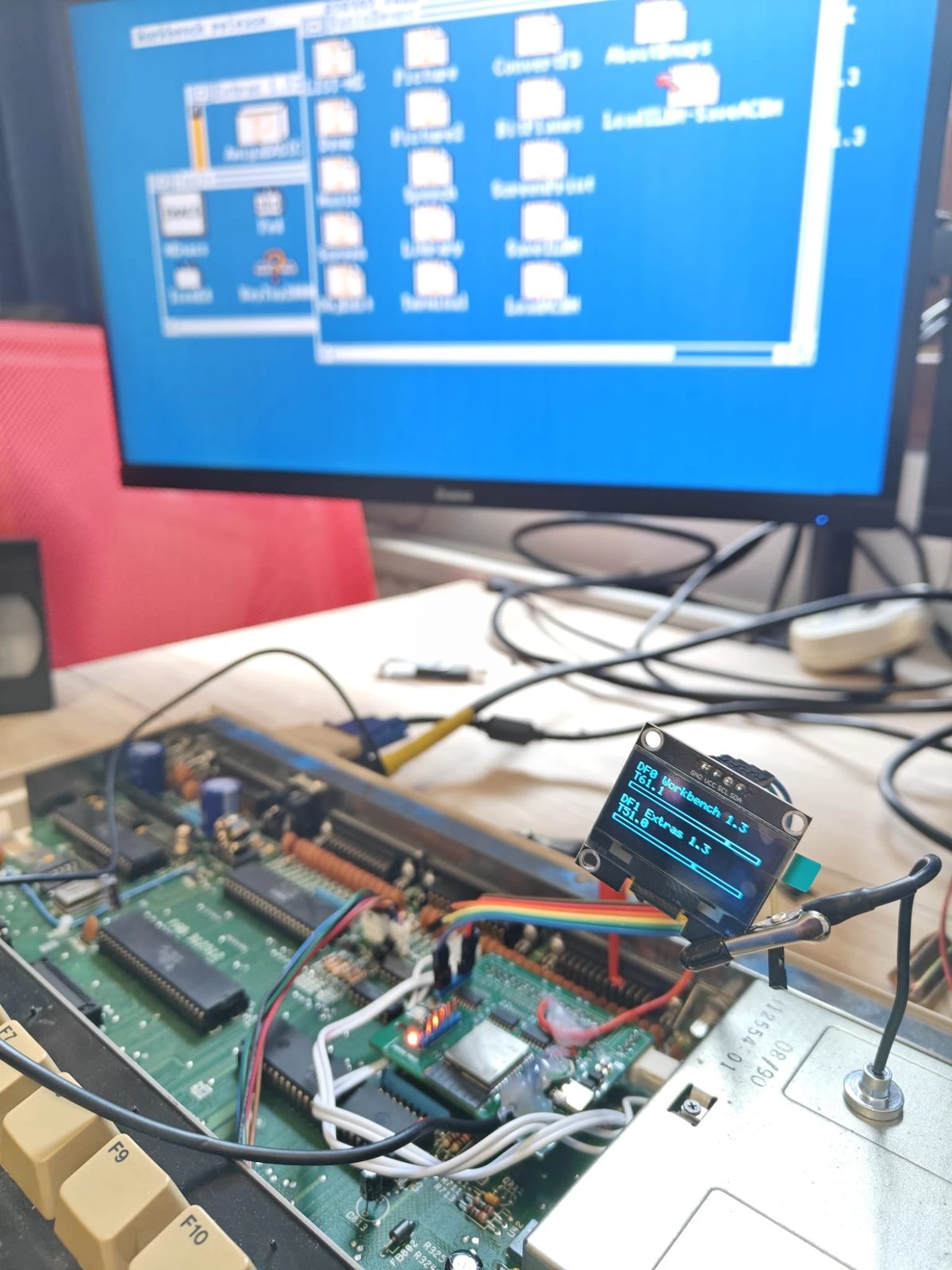
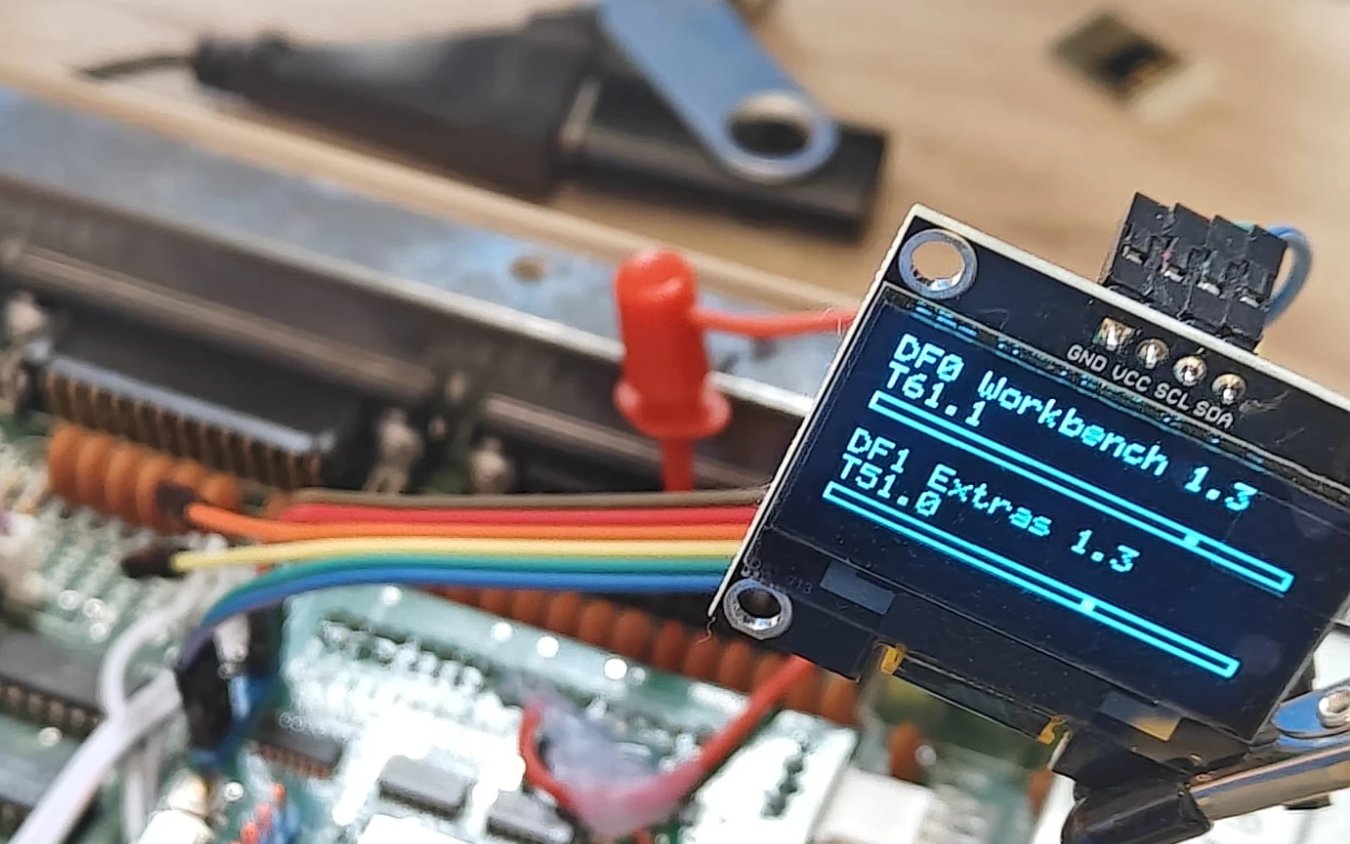
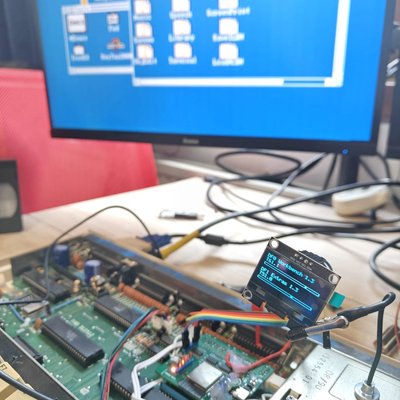
Workbench 1.3 from DF0, with the Extras 1.3 window open from DF1. The OLED in front of the screen says the same.
One stream, two drives. FluxDrive still has one flux stream: two SPI peripherals, the two heads of one cylinder of one disk. It now carries the disk of whichever drive the Amiga keeps selected. A selection that stays on for 200 µs is a read and moves the stream to that drive. A poll or a step does not, because it is much shorter: Kickstart lets go of the select about 26 µs after a step. Between two owners the stream always goes through "nobody", so neither drive ever sees the other's data. Measured on the board: a change of owner took at most 5.7 ms, encoding DF1's two tracks at most 4.2 ms, and the longest pass of the gate loop that follows the select lines was 375 ns with both drives in use, under its 500 ns target.
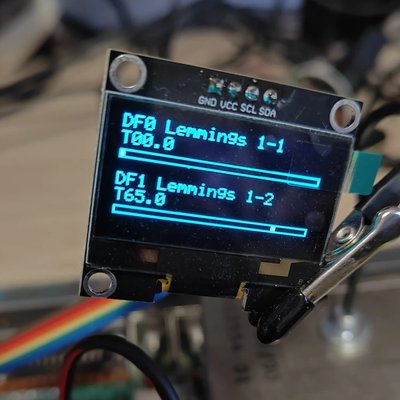
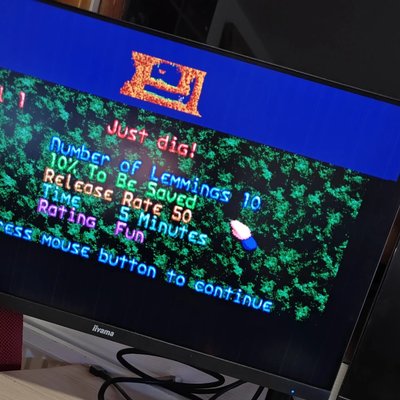
Lemmings was the test: disk 1 in DF0, disk 2 in DF1, and the game read both without a reported retry. Workbench lists, opens and copies from DF1.
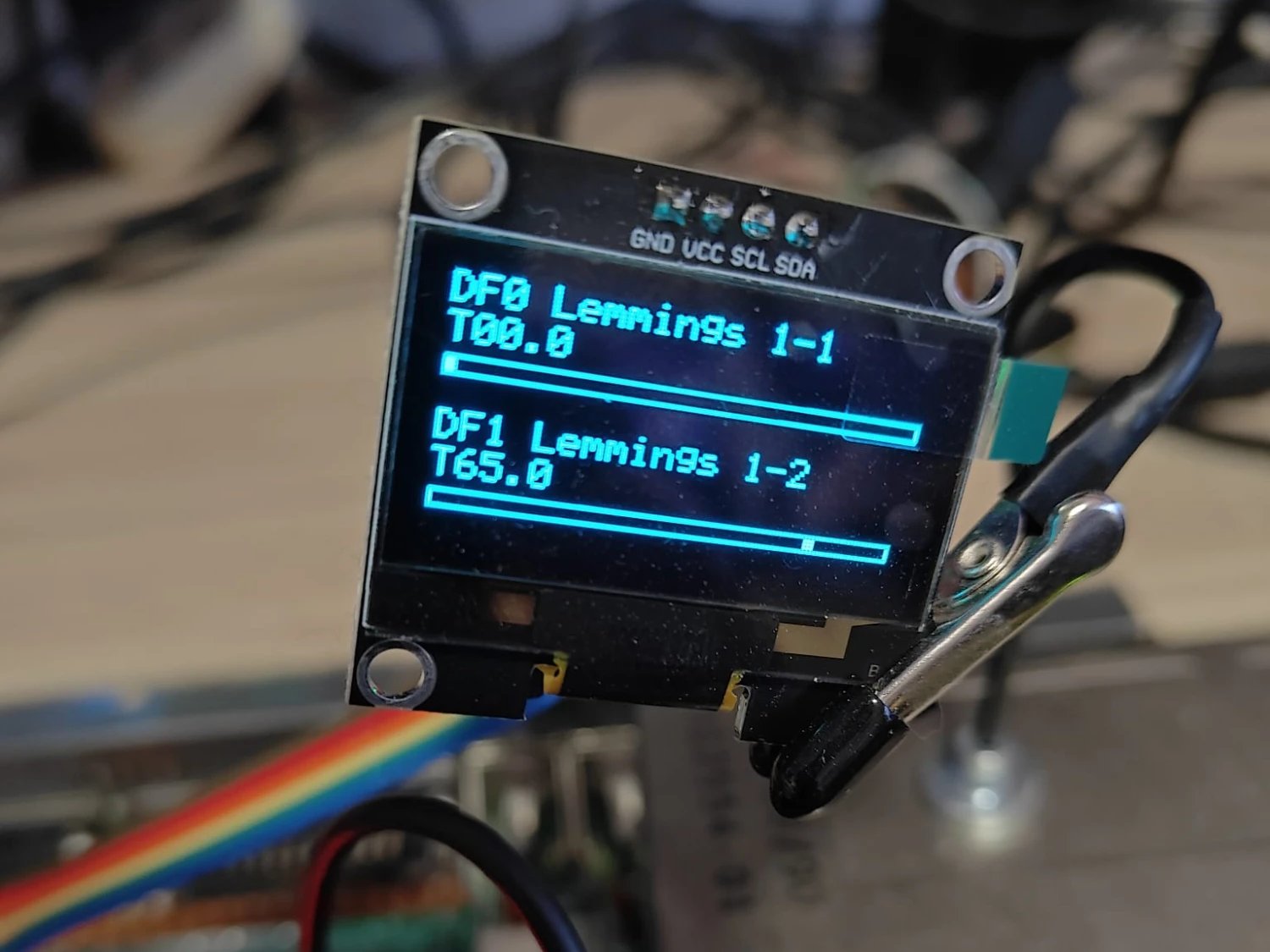
Lemmings with disk 1 in DF0 and disk 2 in DF1. For each drive the OLED shows the disk's name, the track as cylinder.head and a bar with the head's place over cylinders 0 to 79.
Sharing the flash with a second drive. Part 1 explained why every flash write is cut into short holds that only happen while the Amiga is not looking at DF0. A hold releases DF1's lines too, so DF1 needed rules of its own. Holds stay away from DF1's reads: without that rule, a new disk for DF0 during a copy from DF1 brought up "Volume Extras has a read/write error"; with it, the copy finishes without errors and the storing waits until DF1 is quiet. My first rule also kept the holds away from every poll of DF1, and that was too careful: with a disk in DF1, storing a new disk for DF0 took up to 66 % longer, where 10 % was the limit. But with a disk in DF1 and no change pending, a poll that lands in a hold reads "disk present, no change", which is what the drive says anyway. So the holds now avoid DF1's polls only while DF1 is empty or its disk has just changed. Averaged over two or three runs, storing now takes about 1 % longer with a disk in DF1 and about 5 % with DF1 empty.
2. Games from a USB stick
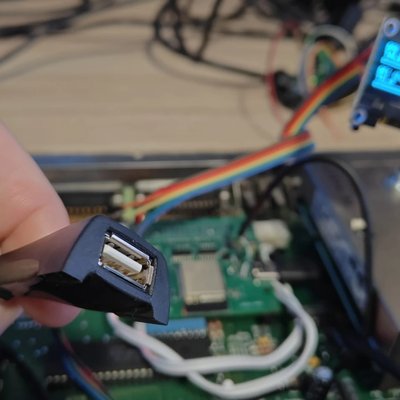
The GTi is great from across the room, but sometimes you just want a stick full of games, the way a Gotek works. Rev B gets a USB-A socket on its front panel. Rev A has none, but the ESP32-S3 has a USB port of its own, already wired to the USB-C socket for flashing and the console. So I soldered a USB-A socket, the end of an extension cable, onto the same two data lines.
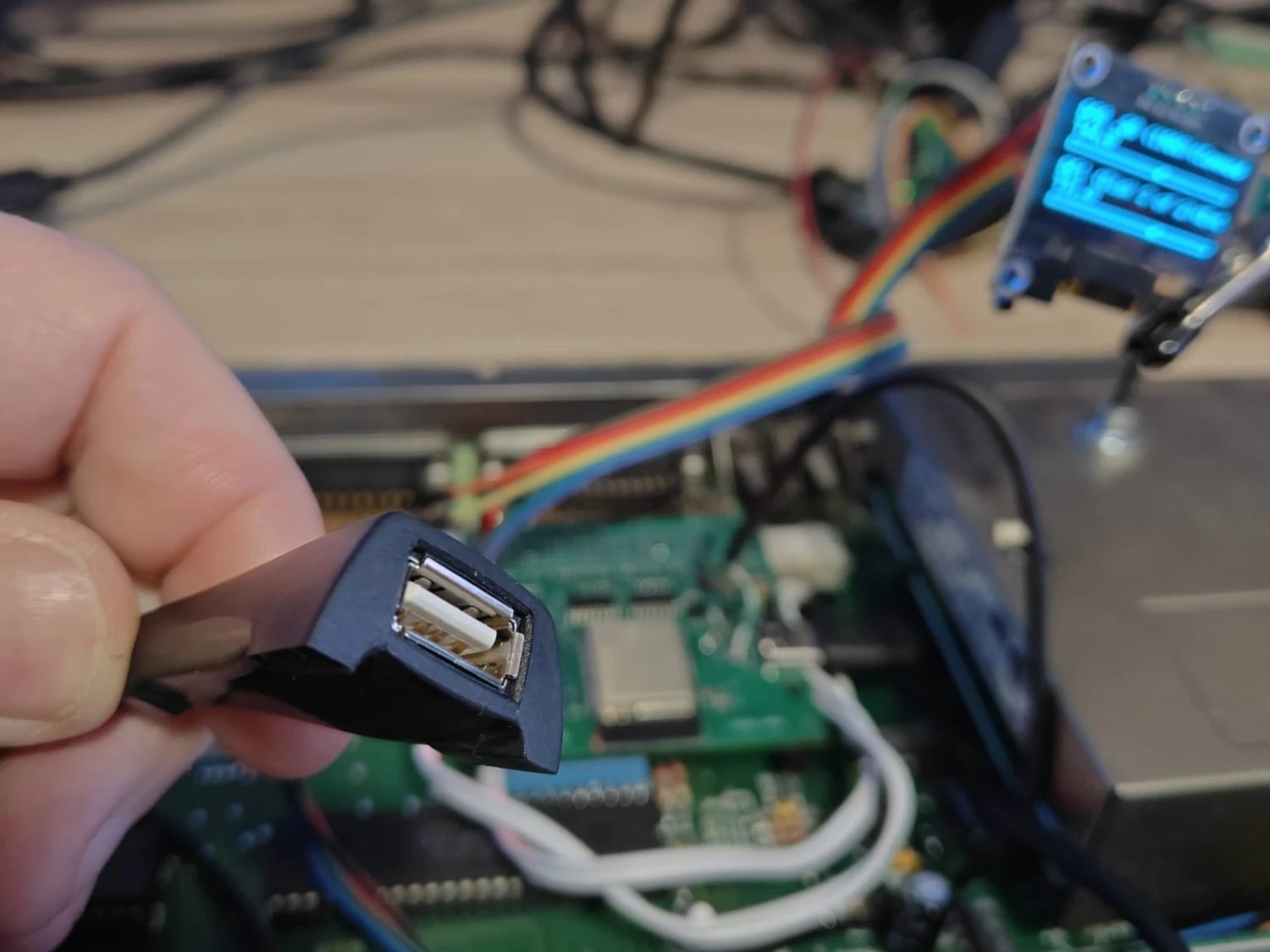
The stick's socket: the end of a USB-A extension cable, wired to the FluxDrive's USB lines.
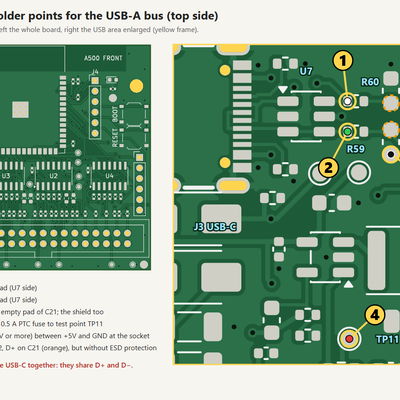
Four wires do it: D− and D+ to two resistor pads on the side of the board's ESD protection, so the stick keeps that protection, ground, and +5 V from the Amiga through a 0.5 A PTC fuse, with a 47 µF capacitor at the socket. The stick gets its power from the Amiga, so it only works while the Amiga is on.
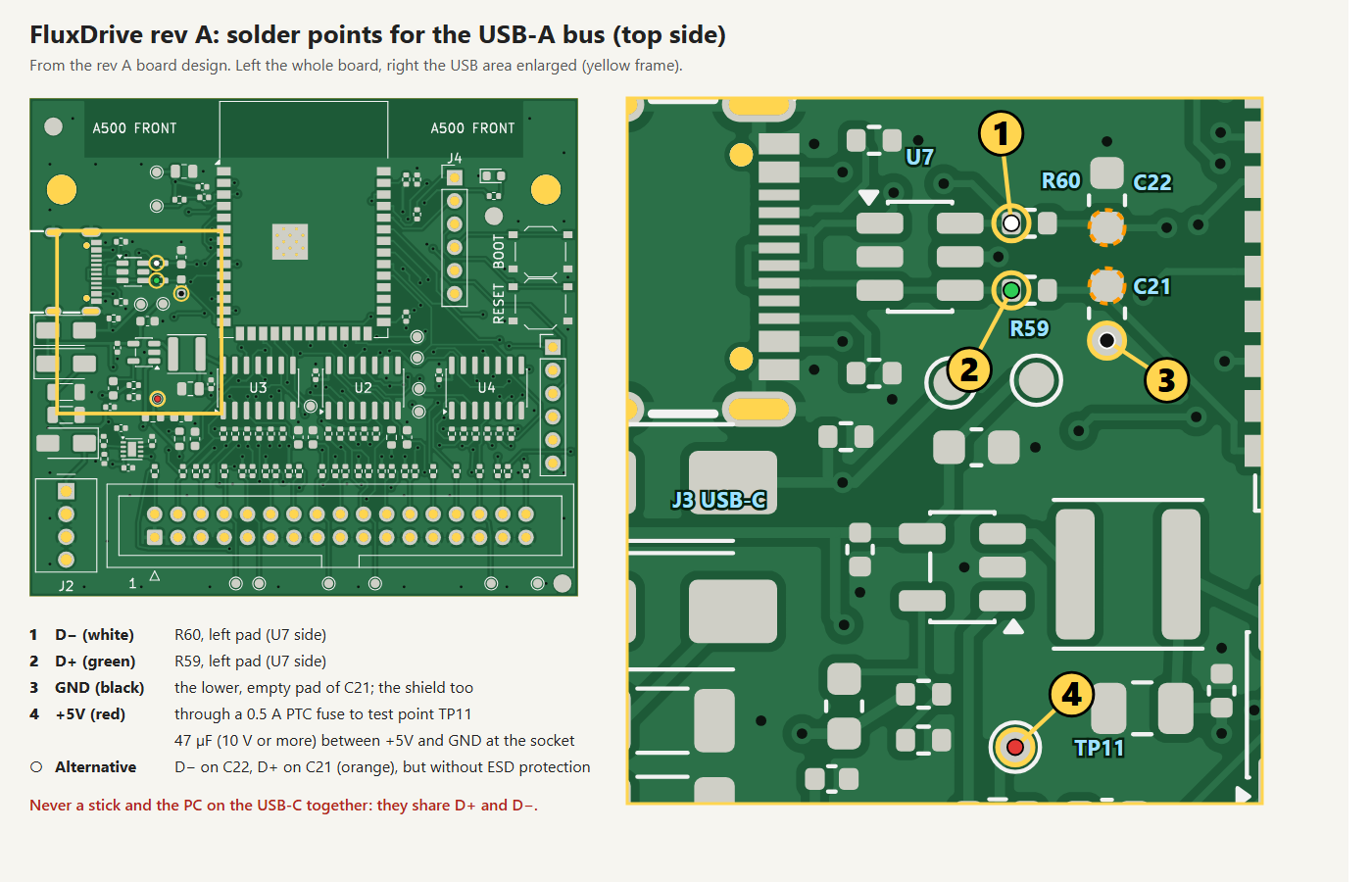
Where the four wires go on rev A. Never a stick and a PC on the USB-C at the same time: they share D+ and D−.
One port, two jobs. The ESP32-S3 has one USB port, so FluxDrive decides once per start what it is for. Four seconds after it has started its network side it checks whether a PC is on the USB-C (a PC sends start-of-frame packets). A PC means console mode, as before. No PC means stick mode: the console stops, the USB host and its mass-storage driver take the port, and a stick can go in and out while FluxDrive runs. FluxDrive only reads the stick: nothing is written to it, and a stick it cannot read is never formatted.
A cable with nothing on the end is still on the bus. While testing, a stick connected and then never answered. The USB-C cable was still in the FluxDrive with its other end loose: a 1 m stub on D+ and D−, and that broke every transfer. In stick mode the cable has to come out of the FluxDrive itself, not just out of the PC. So when a stick never answers, the page now asks whether a USB-C cable is still in the FluxDrive.
Picking a game. FluxDrive's web page got a card for the stick: its name and size, the folders, and every ADF of exactly 901,120 bytes with a DF0 and a DF1 button. Other files are counted, not shown. A folder lists at most 500 entries, and one listing stops after 2,000 directory entries or 3 seconds, so a huge folder or a slow stick never holds up the web server for long. A load into DF1 waits until the Amiga has left DF1 alone for a second, then reads the file in 4 KB pieces. A load into DF0 reads the whole file first while DF0 keeps its disk, then waits until DF0 is quiet, and only then swaps, so the eject never lands in the middle of the Amiga's read or write.
Most loads took 1.3 to 3.1 seconds. Workbench 1.3 from the stick into DF0 was done in 3.1 s and booted with Ctrl-Amiga-Amiga. Lemmings disk 1 took 10.1 s: 2.8 s of reading, the rest waiting for Workbench to stop reading DF0. Twelve loads into DF1 back to back took 25 seconds. Pulling the stick in the middle of a load, after 109 loads in a row, just ended that load with "the stick was removed", and another stick mounted 5 seconds later, without a restart.
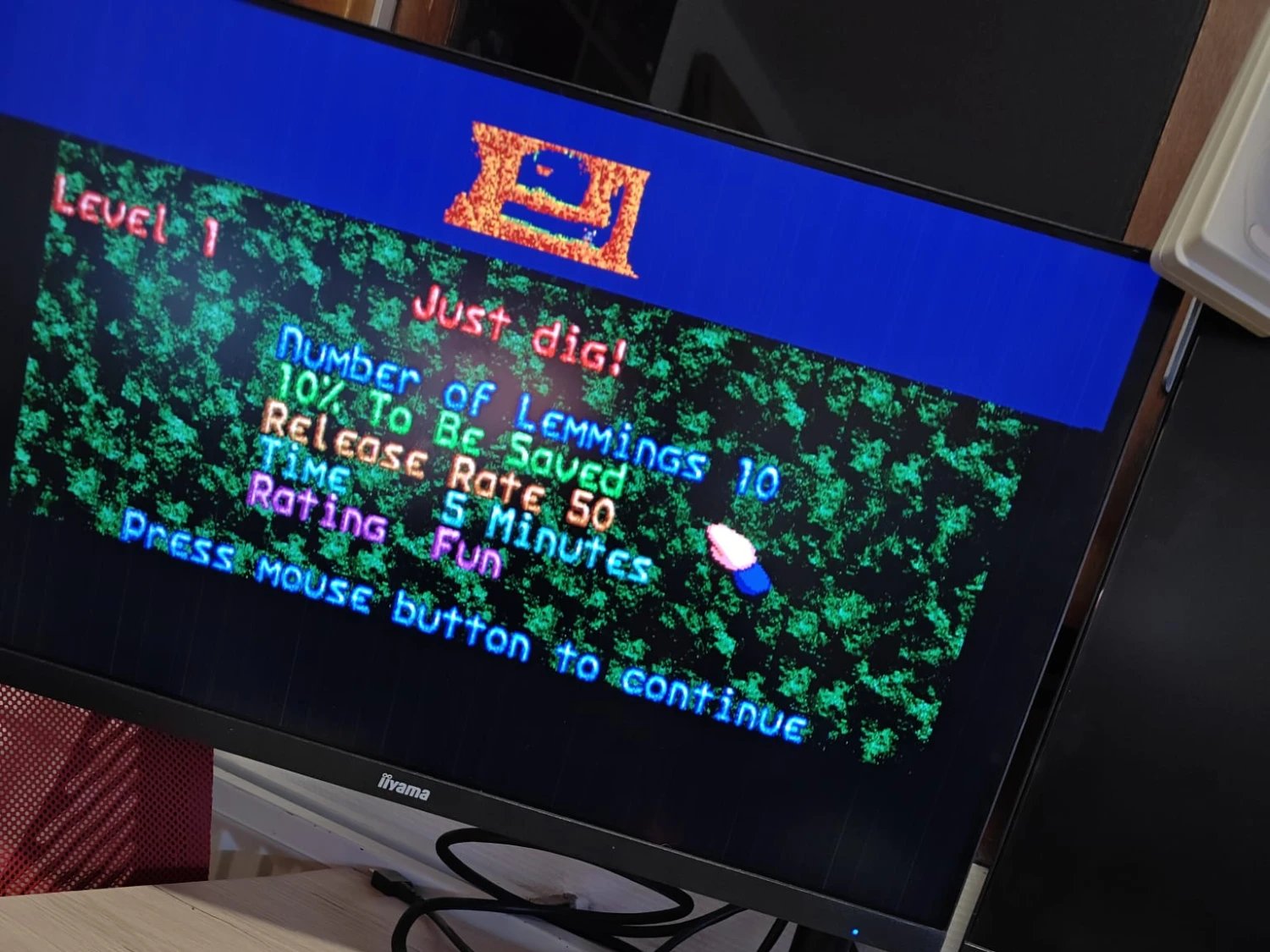
Lemmings level 1, with disk 1 in DF0 and disk 2 in DF1, both loaded from the stick.
The cost: the gate loop's longest pass went up to at most 429 ns, still under the 500 ns target, and the lowest free internal memory was 16,924 bytes, against a rule of at least 12 KB. And the test that mattered most: on the page, in Dutch, I browsed to the Pinball Dreams folder, put disk 1 in DF0 and disk 2 in DF1, and the game booted.
3. One page for both drives
FluxDrive's web page now has a card per drive. DF0's shows its disk, Eject, the write protect switch and "storing..." while a new disk goes to flash. DF1's shows its disk or "no disk", Eject, a DF1 on switch that is saved and reminds you to reset the Amiga, and a note that DF1 is read-only and that its disk stays in memory until it is ejected, DF1 is switched off or FluxDrive restarts. A dropped ADF can go into either drive, and the stick card has its DF0 and DF1 buttons. While a load runs, the card says what it is doing: waiting until DF1 is idle, reading from the stick with a percentage, inserting the disk, loaded. The page speaks English and Dutch.
One thing it cannot show is DF0's wait. That wait is the radio rule from part 1: while DF0's motor runs and its head moves, FluxDrive stays off the air, so it answers no web request either. The page keeps the last state it saw and then shows the finished load, so a load into DF0 during a game's reads can look stalled for up to 60 seconds. That is the radio rule doing its job.
Firmware updates still go over Wi-Fi, which matters in stick mode, where there is no console and no PC. The build for the next section went onto the board that way and was back in 93 seconds.
4. The last requester, and one wire to the DB23
DF1 had one known limit. Open a DF1 drawer while a new DF0 disk was being stored, and AmigaDOS could show "You MUST replace volume Extras 1.3 in unit 1" once. Retry continued and nothing was lost, but it should not happen at all.
The cause: FluxDrive could not see DF1's motor. It sees DF0's, and it never starts a flash hold while DF0's motor runs. But the A500 has the motor line for its extra drives only on the DB23, the external floppy port, not on the internal connector. The likely story: the Amiga turns DF1's motor on with a short selection that looks just like a poll and reads about 500 ms later, and a hold that started in between can still be running when the read begins. A firmware rule that keeps holds away for 2 seconds after a step of DF1's head did not help: on 3 November the requester came back once.
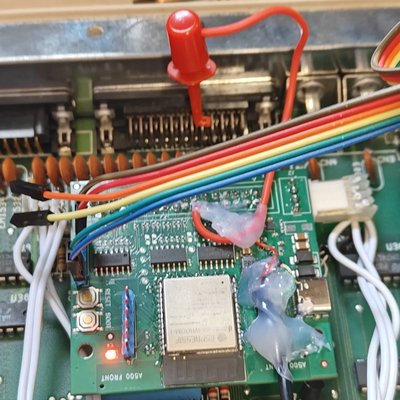
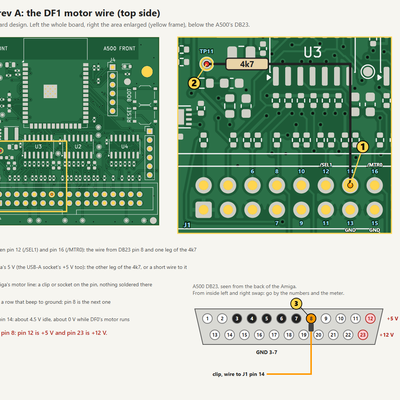
So the motor line had to come to the board. The A500 leaves pin 14 of its internal floppy connector open, and rev A already reads that pin on GPIO10, through its 5 V tolerant input buffer. One wire from DB23 pin 8 to that pin, and a 4k7 pull-up to the Amiga's 5 V on the FluxDrive, because the motor line is an open-collector output. On the Amiga's side it is a clip on the pin: nothing is soldered on the Amiga.
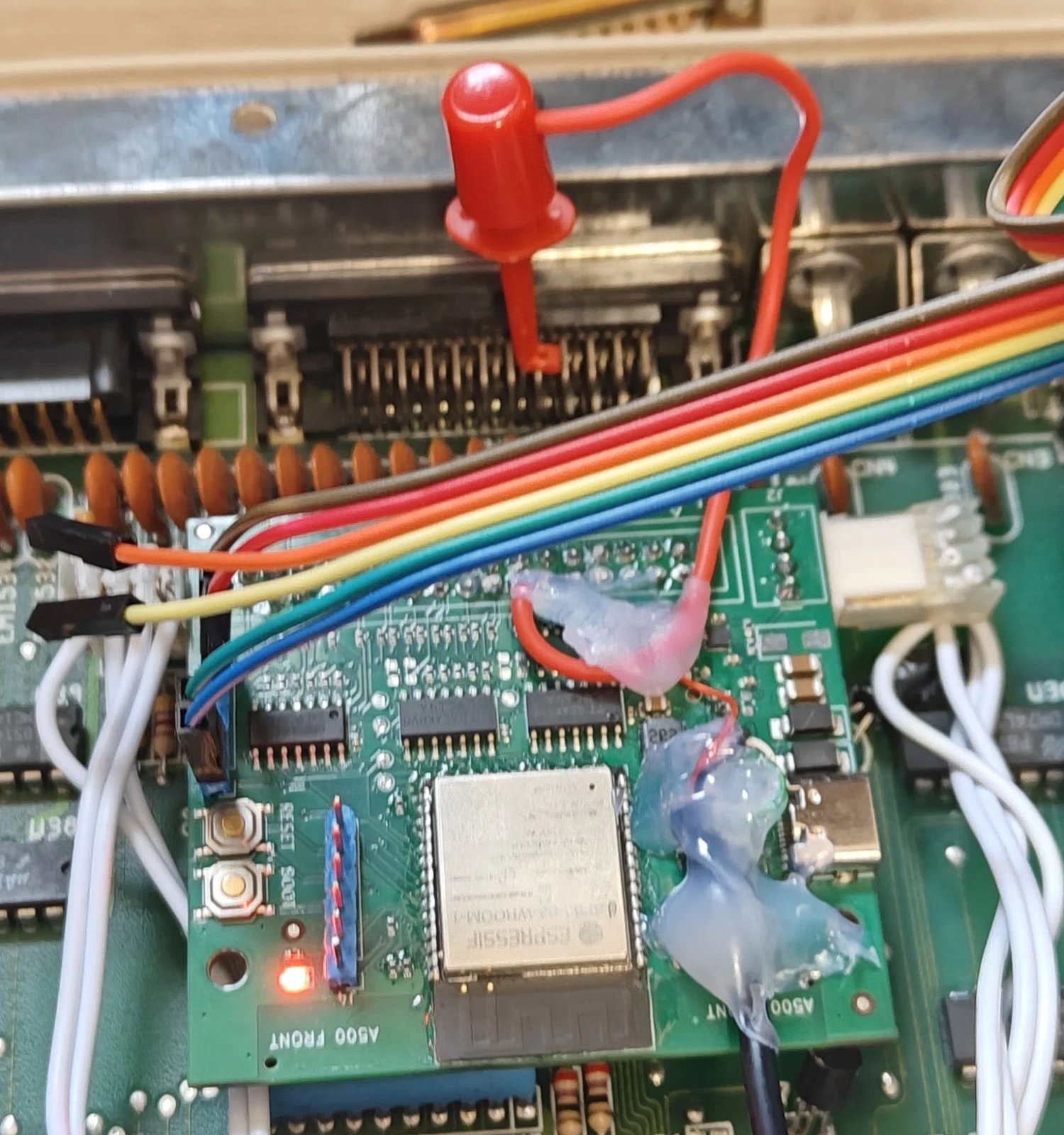
The motor wire: the red clip on pin 8 of the DB23, its wire running down to the FluxDrive.
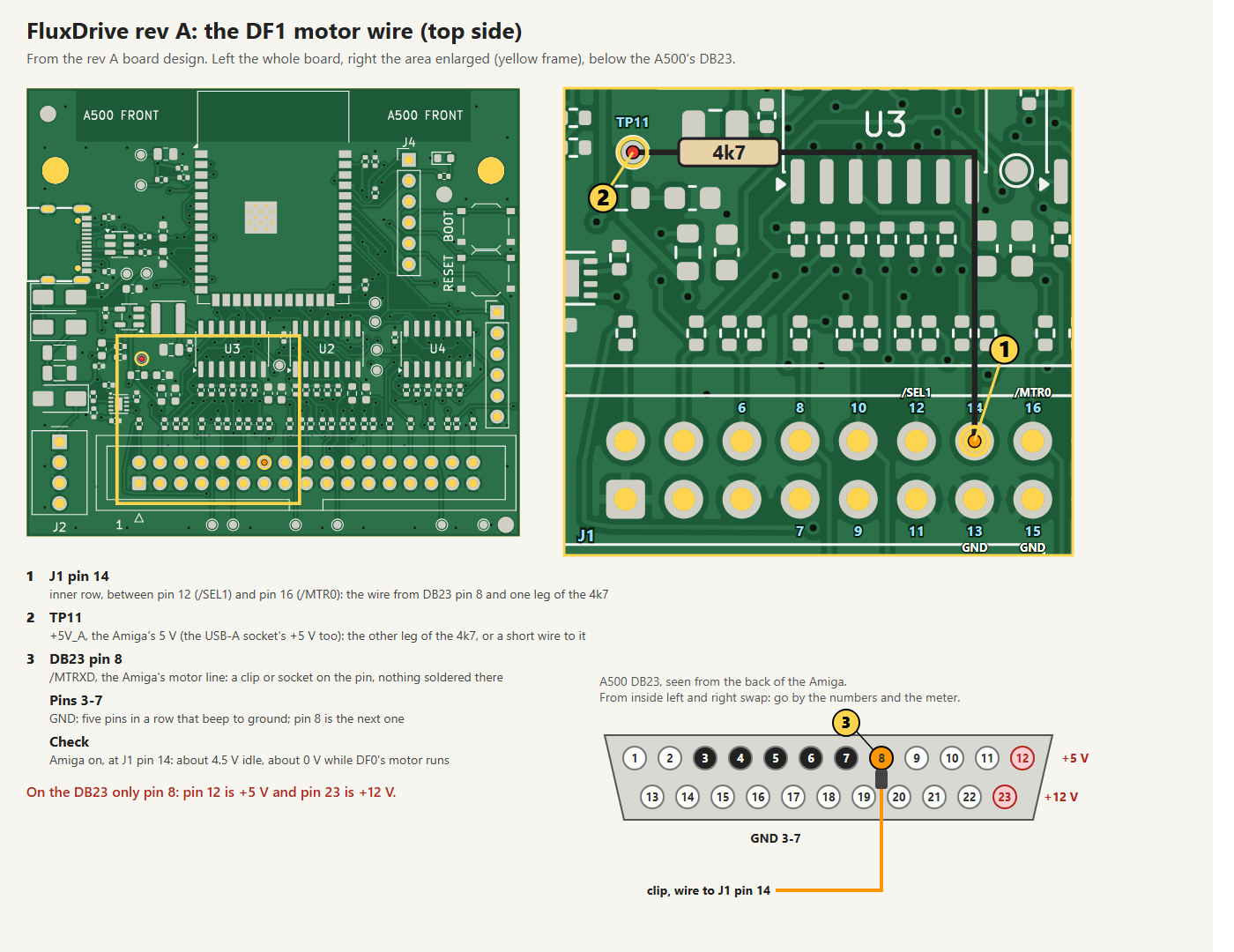
The wire on rev A. On the DB23 only pin 8: pins 3 to 7 are ground, pin 12 is +5 V and pin 23 is +12 V. With the Amiga on, J1 pin 14 reads about 4.5 V idle and about 0 V while DF0's motor runs.
Latch it like a real drive. A real drive takes the motor bit when its select line goes active, and FluxDrive now does the same, without a single interrupt: two of the ESP32's pulse counters count DF1's selections, one while the motor line is on and one while it is off. Every 2 ms the two counts become DF1's motor state. Kickstart's drive check at a reset is one "on" and 33 "off" selections in a burst, which leaves a real drive's motor off, and FluxDrive's too. A motor that stays "on" for 10 seconds without a new "on" selection counts as off, so a program that takes over the Amiga with the bit left on cannot block the flash writes. The gate loop did not change by a single instruction.
With the wire, flash holds wait while DF1's motor runs and for 2 seconds after it stops: the rule DF0 has had all along. Three times I loaded Workbench into DF0 and opened Extras drawers on DF1 while it was being stored: no requester. A load from the stick into DF1 now waits for DF1's motor too: started while I was reading a DF1 drawer, it waited 16 seconds, until 2 seconds after the motor went off. Without the clip everything works as before, so the wire is optional. Rev B gets the motor line and the same rule for DF1.
5. Next: a DF1 that keeps your high scores
DF1 is read-only, and Pinball Dreams shows why that is not enough: it keeps its high scores on disk 2. The next step is designed but not built yet: a writable DF1. Its changes will be kept in flash, so a high score survives a power cycle, and a disk that came from the stick gets its changes written back to its ADF on the stick, the way a Gotek does it. So far FluxDrive only reads the stick; this will be the first time it writes to it.
6. What I learned
- Look at what the board already has. DF1 needed no wire, because /SEL1 already reached the ESP32. The motor line needed one, to a pin that rev A was already reading.
- A loose cable is not an absent cable. A USB-C cable with nothing on its other end is still a metre of wire on the data lines, and it broke every transfer to the stick.
- Put a number on "not slower". My first flash rule for DF1 looked safe and made storing up to 66 % slower. The 10 % limit caught it, and the better rule came from asking what the Amiga actually sees.
- Some fixes are a wire. A smarter firmware rule could not stop the requester, because the information was not on the board. One clip on the DB23 brought it there.
- Behave like the real drive, again. In part 1 it was the empty moment between two disks. This time it was the motor: a real drive latches the motor bit when it is selected, so FluxDrive does too.
Status
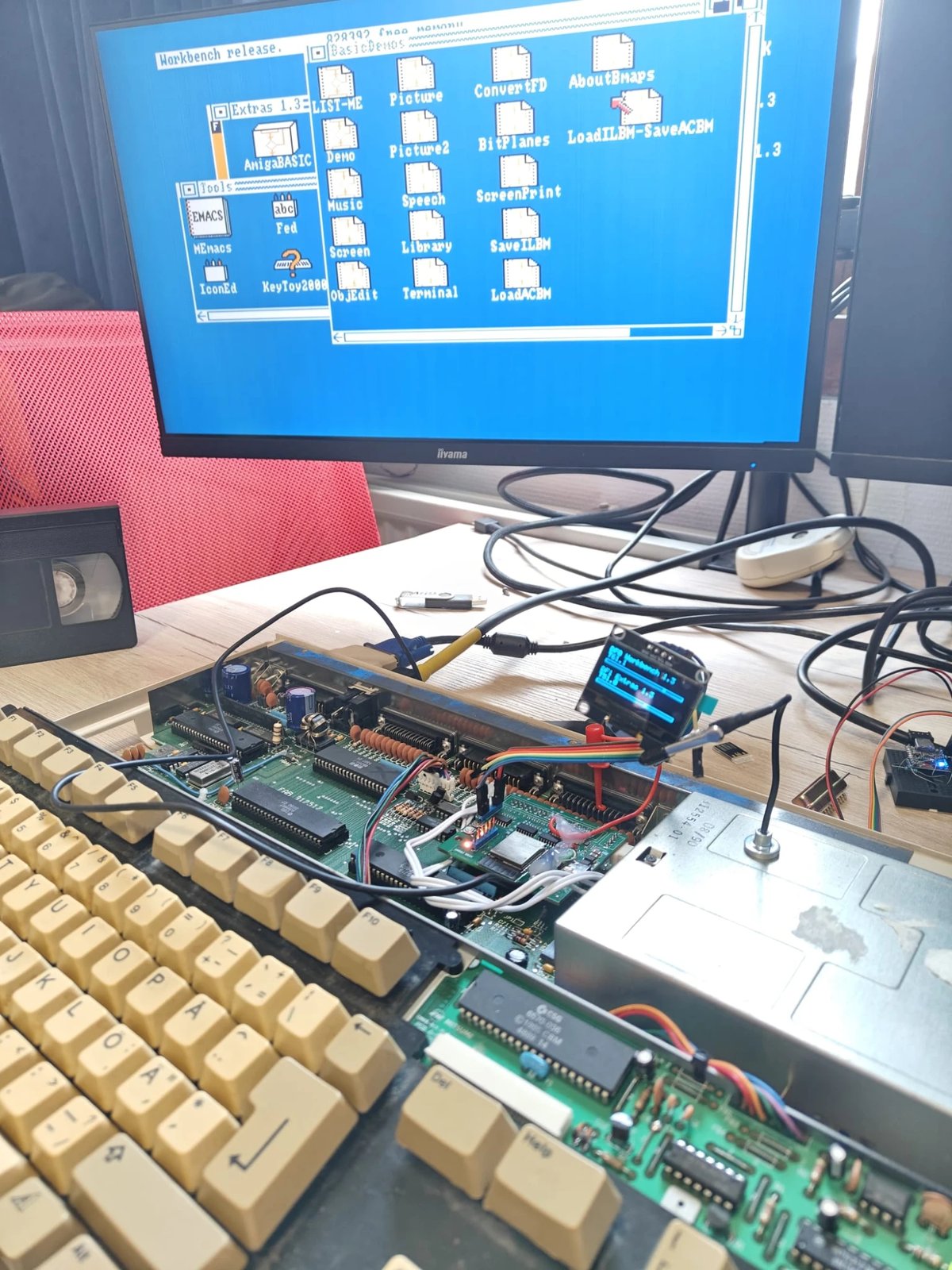
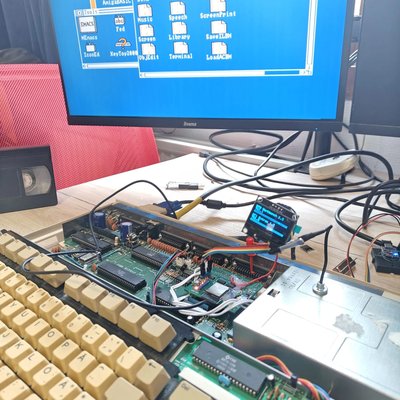
Where it stands: Workbench 1.3 from DF0 with Extras open from DF1, FluxDrive rev A in the open A500 and the OLED on its clamp.
Rev A in my A500 is now DF0 and DF1. It gets its disks from the GTi, the web page or a USB stick, DF1 is read-only and lives in RAM, and with the motor wire the requester is gone. DF1 was tested on 2 November and the stick and the motor wire on 3 November, on my A500 with Kickstart 1.3 (part 1's tests ran on 1.2). Not everything has been tried on the board yet: an exFAT stick, a folder of more than 500 entries and a disk from the GTi while FluxDrive is in stick mode, among others. Next:
- A writable DF1, with the high scores in flash and written back to the stick.
- Rev B, with DF1's motor line on the board and the front panel from part 1.
To be continued.
Credits
As in part 1: FluxDrive would not exist without Mez. The GTi was originally created by Mez and is now developed by Mez and me together. The idea of the board comes from his OMEGAWARE FluxDrive hardware design document, and the network side of the firmware, web page included, started as his Webby (MIT licence). The FluxDrive hardware, the boards and the drive firmware are mine.